


Here is a step-by-step guide to fix the Sage 200 Evolution date issue.
Step 1: Download the application
Step 2: Save to a location on your workstation.
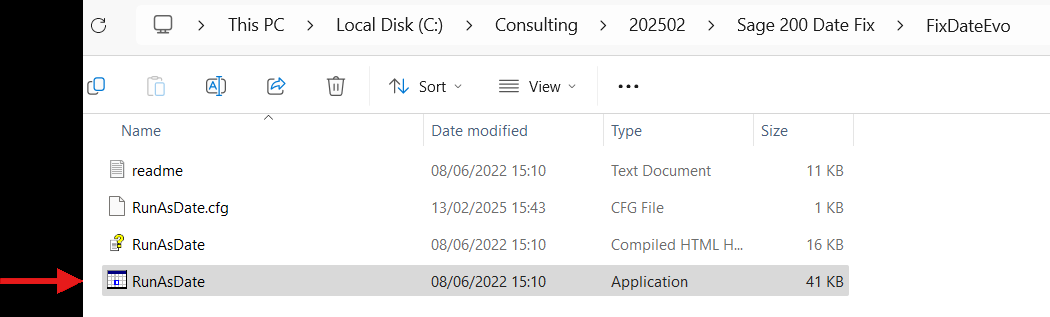
Step 3: Open Folder and click on the below executable.
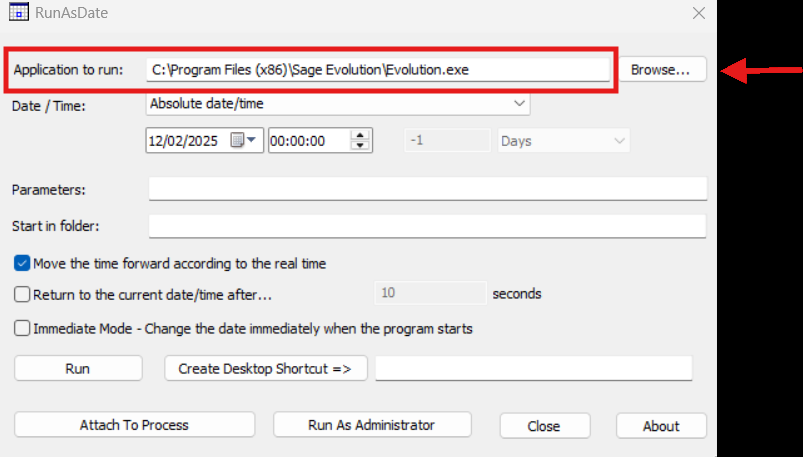
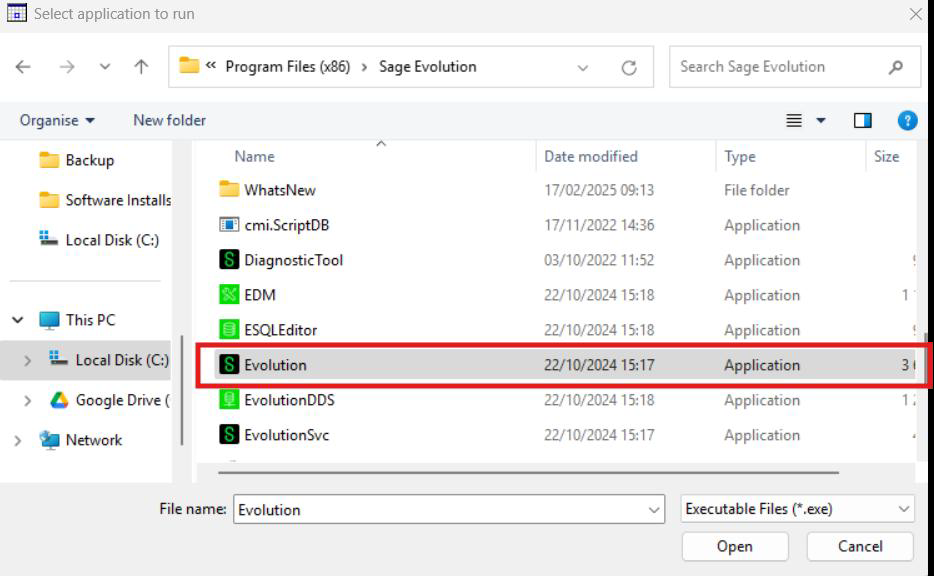
Step 4: Browse to the Sage 200 Evolution executable on your computer.
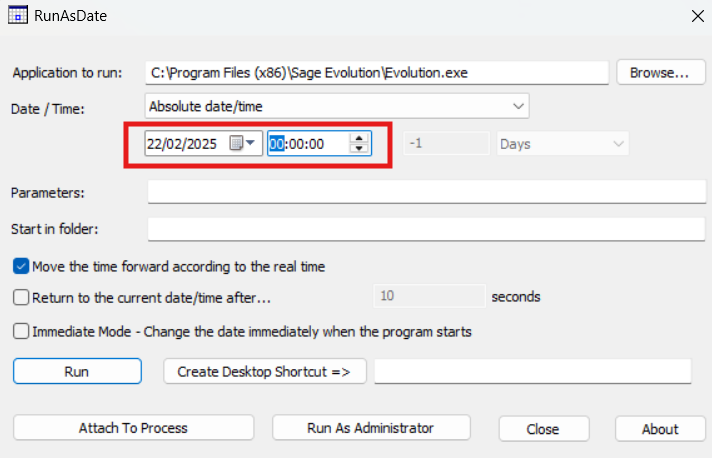
Step 5: Change the date to a date other than the 21st February 2025 (problematic date) such as the 22nd February 2025.
Step 6: Give the new Shortcut a Name such as ‘Use this for Sage 200 on 21 Feb’. Then click on ‘Create Desktop Shortcut’

Step 7: A new shortcut will be created on the desktop, please use this shortcut on the 21st February 2025.
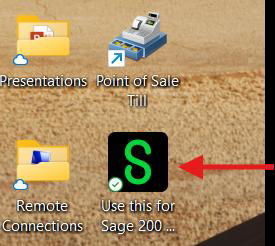
Step 8: After the 21st February 2025 has passed please delete this shortcut from the desktop.
If you’re looking for assistance or support, click on the button, follow the prompts and we will assist you
ULTRA RESPONSIVE
Need help immediately? We guarantee fast responses and service excellence for all queries.
Contact us today for a quote, a demo or site analysis and we will implement the right solution in your business.
The form you have selected does not exist.
CONTACT US
Email: info@brilliantlink.co.za
Physical Address
Unit 6, Boskruin View Office Park
Corner Ysterhout & Kelly Road
Boskruin, Randburg